 FreedomBooks
Small-business accounting without the monthly bill
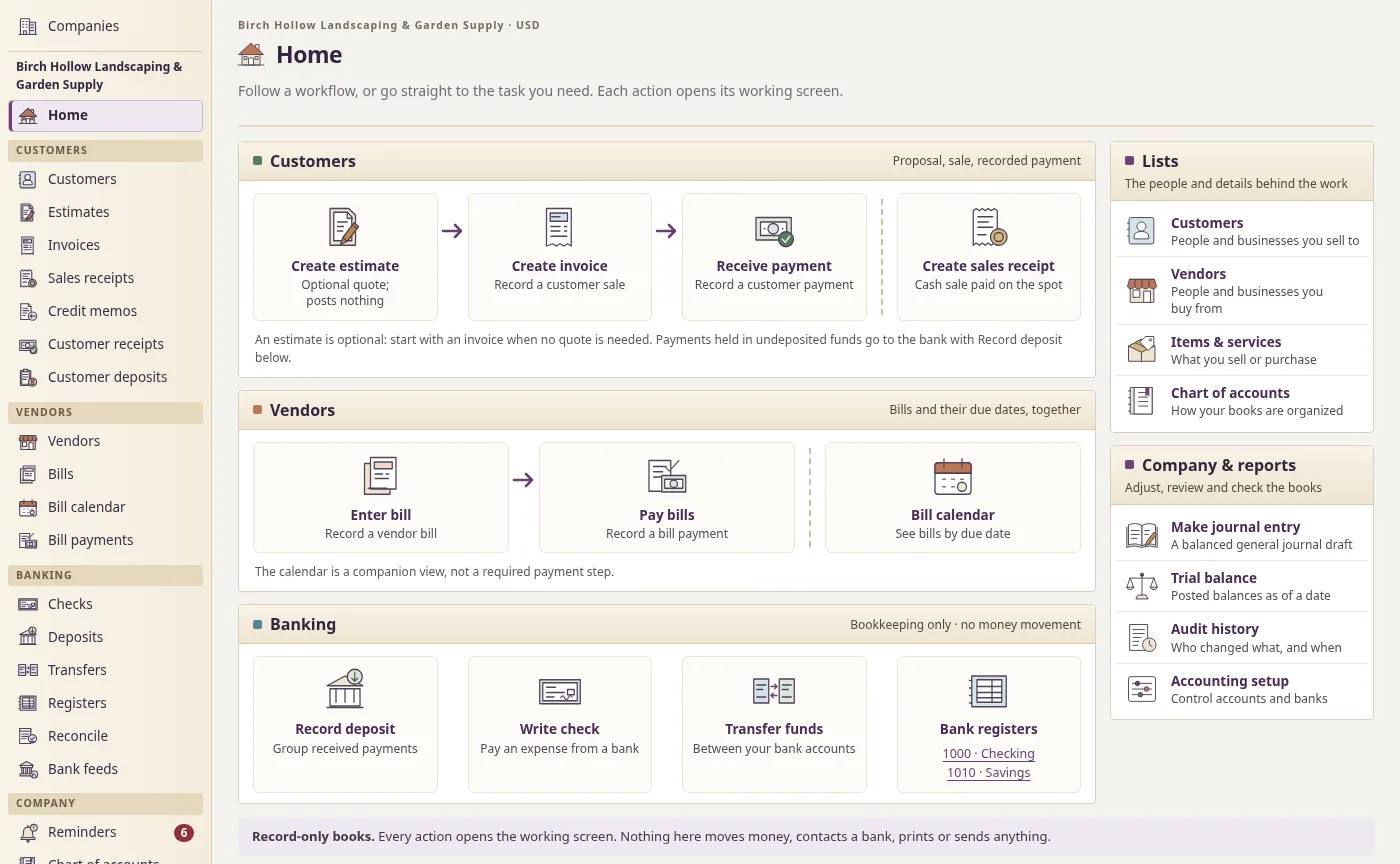
FreedomBooks does the bookkeeping a small business does every week. You send invoices, enter bills and pay them, write checks, make deposits, and reconcile when the bank statement shows up. At tax time your accountant gets the usual reports, on cash or accrual, whichever they prefer.
It's a desktop app you download from GitHub for Windows or Linux. Each company file is encrypted and kept on your computer, and you don't pay a subscription to open your own books.
Connect ChatGPT to FreedomBooks
Connect your own account through OpenAI's official Sign in with ChatGPT page. You check everything before it goes into your books. Nothing posts on its own, and only what a task needs leaves your company file.
The connection is available in the first release. These two features are coming next:
Bank transaction matching (coming next)
ChatGPT will suggest which bill, invoice or category each bank line belongs to, with a one-line reason. You approve each one. Today's bank feeds use rules you write, and you accept each line.
Expense tracking for jobs (coming next)
A painter can finish one job with a dozen receipts for paint and supplies. The plan is to drop in that pile, make each receipt an expense tagged to the customer job and mark it billable. Then use "Add billable expenses" to add those costs to that customer's invoice. Job profit will show what the job billed against what it cost.
Who we had in mind
We've been picturing the office manager at a landscaping company with two crews, who does the books on Tuesday afternoons. Or the volunteer treasurer at a food pantry, or a plumber who still mails a paper check to the supply house every month. It also works for a one-person business. You'll just have fewer bills to enter.
If you've kept books in a desktop accounting program before, you'll find your way around quickly. Estimates turn into invoices, payments wait in undeposited funds until you make the deposit, and bills have their own screen for paying them. Your accountant won't need to learn anything new either. The reports are the standard ones.
What it does today
- Estimates, invoices and sales receipts
- Customer payments and bank deposits
- Bills, bill payments and a bill calendar
- Checks and transfers between accounts
- Credit memos, refunds and customer deposits
- Bank reconciliation
- Sales tax rates, groups and agencies
- Profit and loss, balance sheet, general ledger and trial balance, on cash or accrual
- More than one company, each in its own encrypted file
- Encrypted backups you can restore
- Bank feeds and emailed invoices, as optional plugins
Get it
Download FreedomBooks for Windows or Linux from GitHub Releases. The source code is there too.
Source code
The source code is on GitHub. You can read it, report a problem or follow changes there.
macOS
Coming soonFor Mac computers.
Flathub
Coming soonInstall through your Linux software center.